
You send a six-color graphic to a screen-printing factory.
Then the printer tells you:
"This design needs seven or eight screens."
For a clothing brand, that can sound confusing.
Why does a graphic with only a few visible colors need so many physical screens?
The reason is that screen printing does not print a complete image in one pass like a digital printer.
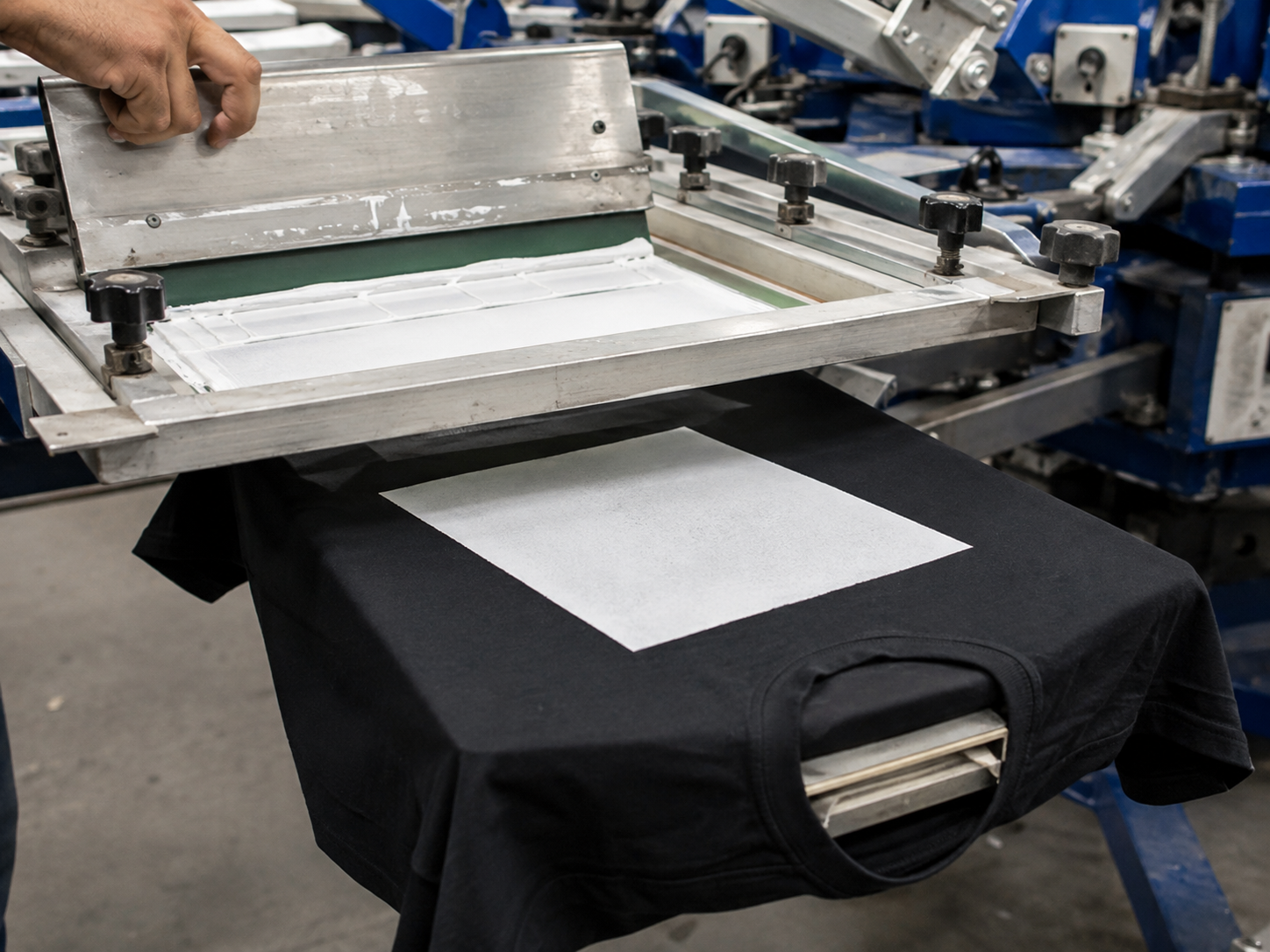
Instead, the artwork is separated into individual ink channels, and each channel normally requires its own screen.
Depending on the garment color and artwork, the printer may also need additional screens for:
- White underbase
- Highlight white
- Special effects
- Halftone channels
- Extra spot colors
From our experience producing graphic streetwear, the number of screens depends more on the color separation and printing construction than simply on how colorful the artwork looks on a computer.
Table of Contents
- How Screen Printing Actually Works
- 1. Each Ink Color Usually Needs Its Own Screen
- 2. Dark T-Shirts Often Need a White Underbase
- 3. Highlight White Can Require Another Screen
- 4. Halftones Create More Colors Without Printing Every Color
- 5. CMYK Uses Four Screens to Create Full-Color Images
- 6. Simulated Process Printing Can Use 6–10 Screens
- 7. Special Effects May Need Separate Screens
- Why Not Put Every Color on One Screen?
- Does More Screens Mean Better Quality?
- How Screen Count Affects Cost and Production
- How We Review Artwork Before Screen Printing
- Frequently Asked Questions
- Final Recommendation
How Screen Printing Actually Works
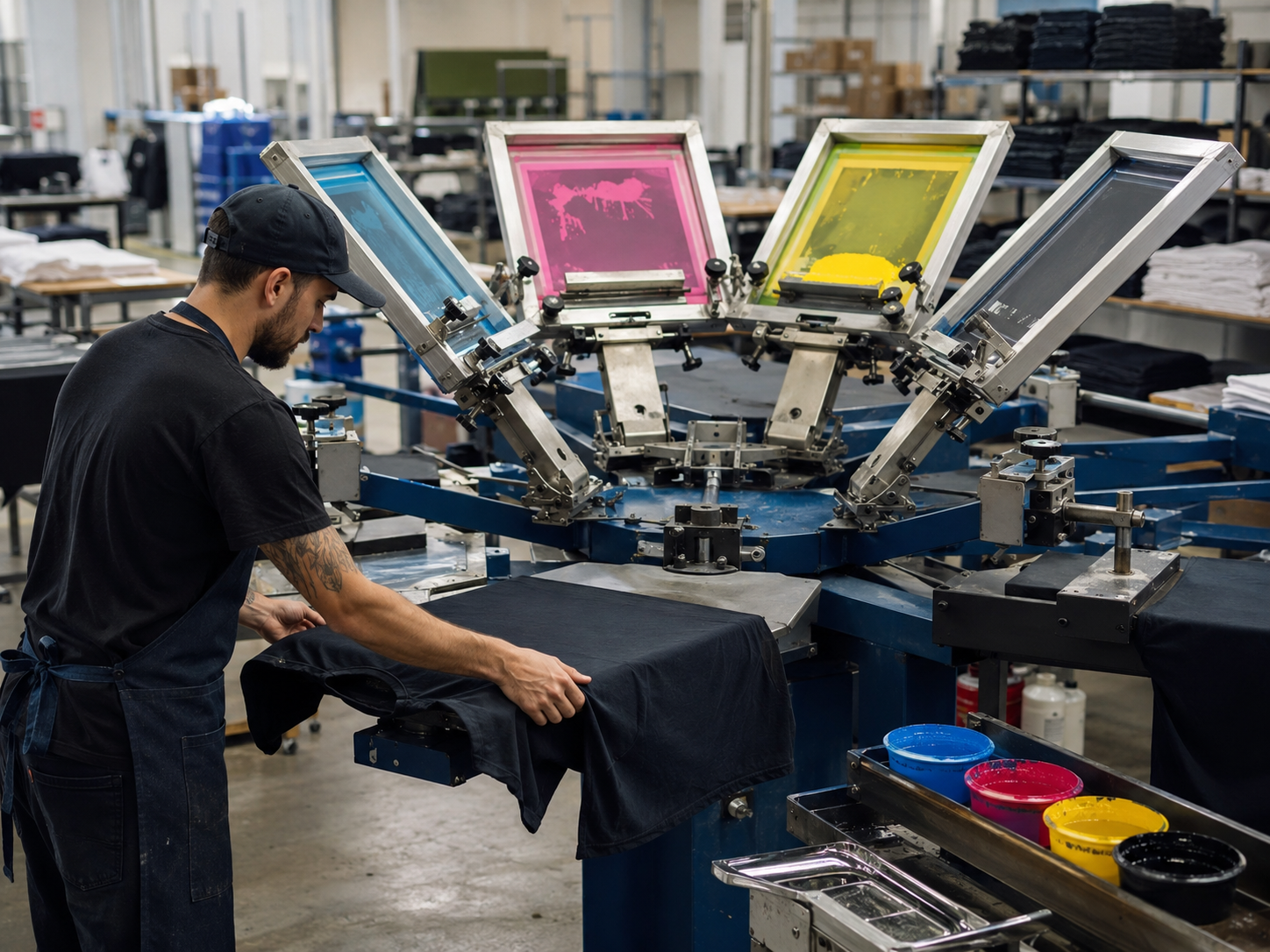
A screen is a mesh frame coated with photosensitive emulsion.
The artwork for one printing channel is exposed onto that screen.
During printing, ink is pushed through the open areas of the mesh using a squeegee.
Then the garment moves to the next screen.
For a simple two-color design, the process may look like:
Screen 1 → Red Ink
↓
Screen 2 → White Ink
↓
Curing
For more complicated artwork, several screens may need to be aligned precisely so all the colors combine into one final image.
ScreenPrinting.com explains that screen printing applies one ink color at a time, so multi-color artwork must first be separated into individual color layers.
External reference:
ScreenPrinting.com – How to Screen Print T-Shirts
You can also explore the printing techniques we use for custom streetwear here:
Custom Streetwear Printing Services
1. Each Ink Color Usually Needs Its Own Screen
For traditional spot-color screen printing, the basic rule is:
One Ink Color = One Screen
Imagine a design containing:
- Red
- Blue
- Yellow
- White
The printer normally separates the artwork into four individual channels.
That means:
Red → Screen 1
Blue → Screen 2
Yellow → Screen 3
White → Screen 4
Each screen contains only the areas where that particular ink should appear.
During printing, the screens are aligned so the colors land in the correct position.
This alignment is called registration.
If the screens are not registered correctly, you may see:
- White outlines around colors
- Misaligned letters
- Gaps between colors
- Overlapping edges
- Blurry artwork
This is why multi-color screen printing requires more setup than a simple one-color logo.
2. Dark T-Shirts Often Need a White Underbase
The number of visible colors does not always equal the number of screens.
One common reason is the white underbase.
Imagine printing bright red ink onto a white T-shirt.
The white fabric already provides a bright background.
The red can be printed directly onto it.
Now print the same red onto a black heavyweight T-shirt.
The dark fabric can make the red appear much duller.
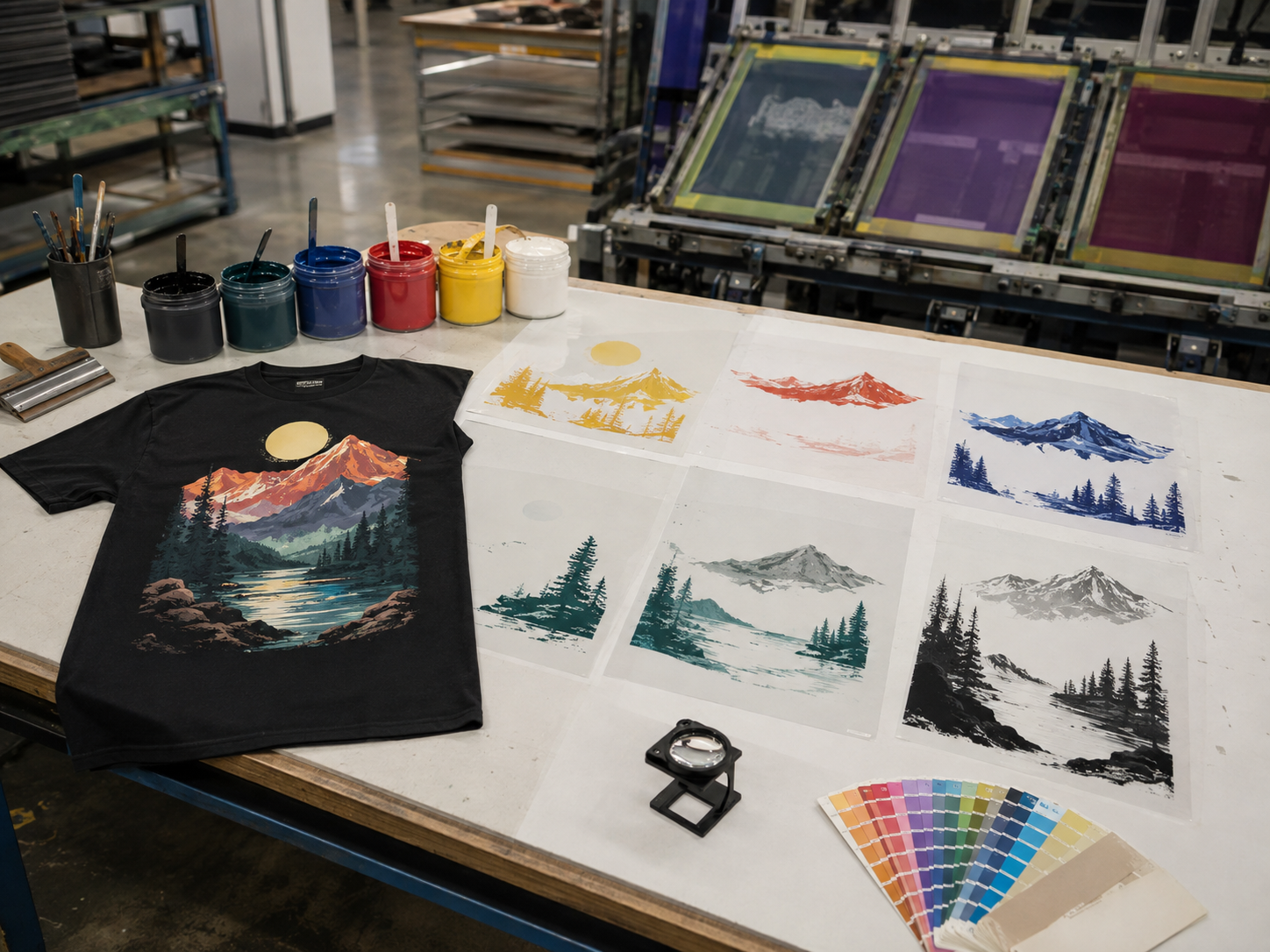
To create a brighter result, the printer may first print a white layer underneath the colored artwork.
The process becomes:
Screen 1 → White Underbase
↓
Flash
↓
Screen 2 → Red
Without the underbase:
1 visible color = 1 screen
With the underbase:
1 visible color may require 2 screens
ScreenPrinting.com explains that white underbases are commonly used on dark garments to create a brighter foundation for top colors.
External reference:
ScreenPrinting.com – How to Screen Print an Underbase
3. Highlight White Can Require Another Screen
Sometimes the white underbase is not meant to be visible.
Its job is only to support the colors printed above it.
But the artwork may also contain visible bright white details.
In that case, the printer may use another screen called a highlight white.
For example:
Screen 1 → White Underbase
Screen 2 → Red
Screen 3 → Blue
Screen 4 → Yellow
Screen 5 → Highlight White
The final image may appear to contain only four main colors, but the printing process uses five screens.
Why not use the underbase as the final white?
Because the underbase and highlight white can serve different purposes.
The underbase is optimized to support the colors above it.
The highlight white is used where the final artwork needs clean, bright white details.
4. Halftones Create More Colors Without Printing Every Color
A graphic may appear to contain dozens of shades.
That does not mean it needs dozens of screens.
Screen printers use halftones to create the illusion of lighter and darker tones.
Halftones are tiny dots.
For example, instead of printing:
- Dark gray
- Medium gray
- Light gray
as three separate inks, the printer may use one black ink with different dot sizes.
Large dots create a darker appearance.
Small dots create a lighter appearance.
From normal viewing distance, your eye blends the dots together.
ScreenPrinting.com describes halftones as dot patterns used to represent different tonal values and reproduce shading or photographic detail.
External reference:
ScreenPrinting.com – What Are Halftones?
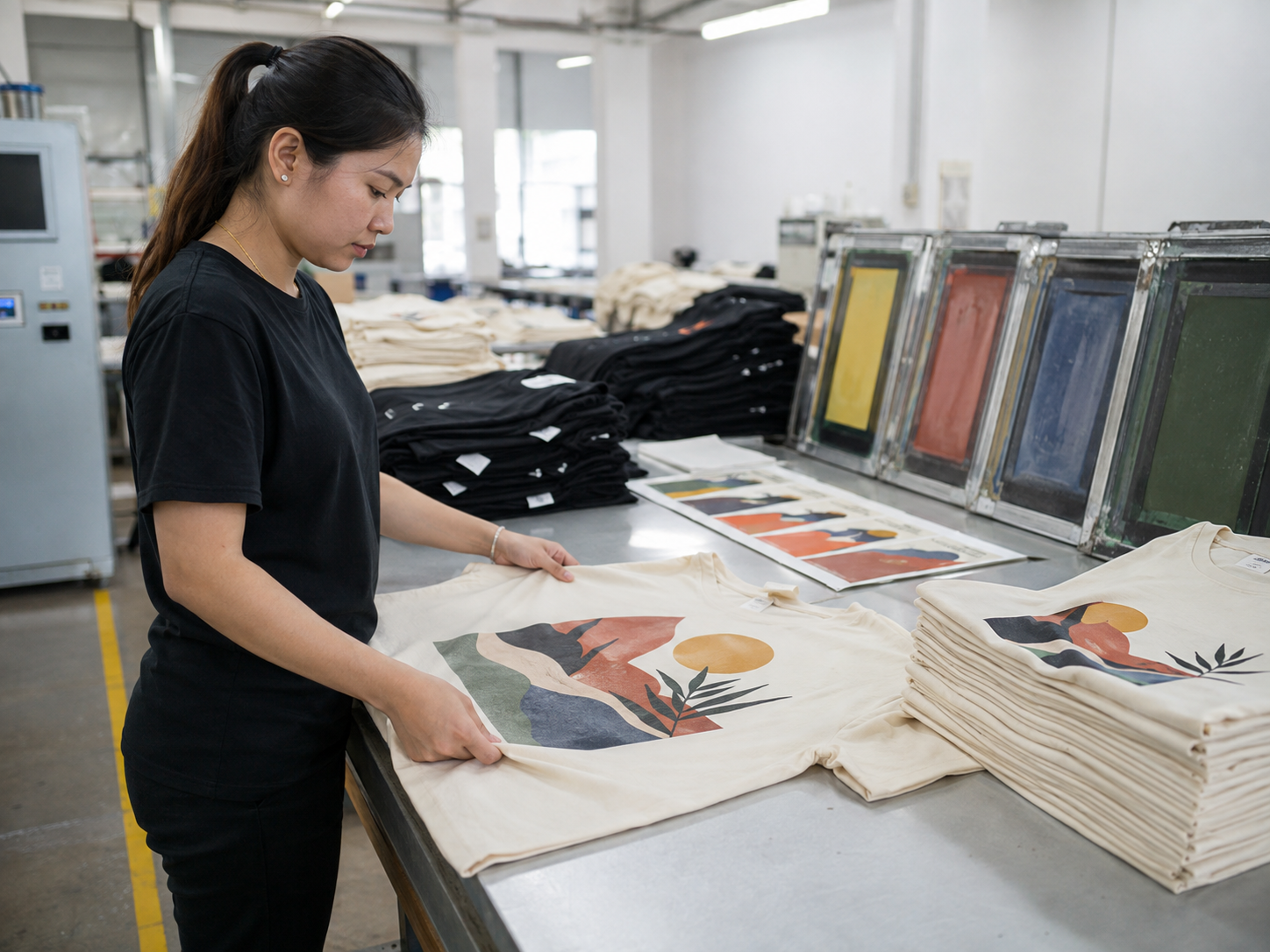
This is why an experienced color separator can sometimes reduce screen count without making the artwork look simple.
5. CMYK Uses Four Screens to Create Full-Color Images
Photographic artwork does not always require one screen for every visible color.
One method is four-color process printing, also known as CMYK.
CMYK uses:
- Cyan
- Magenta
- Yellow
- Black
Each color has its own halftone screen.
When the four patterns overlap, they visually create many additional colors.
So a photograph containing:
- Orange
- Green
- Purple
- Red
- Blue
- Brown
- Gray
can potentially be reproduced using only four main process screens.
This is similar to how traditional full-color printed images are produced.
ScreenPrinting.com notes that four-color process printing uses four screens to build a full-color image.
External reference:
ScreenPrinting.com – CMYK Screen Printing
However, CMYK generally works best when the garment and printing conditions are suitable.
Dark streetwear garments can make this process more complicated because the printer may need additional base or highlight channels.
6. Simulated Process Printing Can Use 6–10 Screens
Many complex streetwear graphics use a technique called simulated process printing.
This is particularly useful for:
- Dark T-shirts
- Photographic graphics
- Detailed illustrations
- Gradients
- Vintage artwork
- Multi-tone graphics
Instead of printing every visible color separately, the artwork is divided into several carefully selected ink channels.
A simulated process setup might include:
Underbase White
Black
Red
Orange
Blue
Gray
Highlight White
That would already require seven screens.
But those seven inks can visually create many more shades through overlapping halftones.
A complex graphic that appears to contain twenty or thirty different colors may therefore use only 6–10 actual printing inks.
The exact number depends on:
- Artwork
- Garment color
- Required color accuracy
- Printing press capacity
- Desired hand feel
- Separation method
This is why two printers may recommend slightly different screen counts for the same artwork.
7. Special Effects May Need Separate Screens
Streetwear graphics often combine normal screen printing with special effects.
Examples include:
- Puff print
- High-density print
- Metallic ink
- Reflective ink
- Glow effects
- Clear gel
- Specialty texture
These effects may need their own printing channels.
For example, imagine a graphic that uses:
White Underbase
+
Red Ink
+
Black Ink
+
Puff Detail
The puff section may require a separate screen because it uses a different ink formulation and printing construction.
That means the artwork can look like a simple three-color graphic but require four screens.
This becomes even more important when the brand wants:
Flat Print + Puff Details
or
Normal Ink + High-Density Details
because each effect must be controlled separately.
For more special-effect printing options, see:
Custom Streetwear Printing Services
Why Not Put Every Color on One Screen?
This is a common question from new clothing brands.
A screen is essentially a stencil.
If several precise ink colors were placed on one normal production screen, it would be very difficult to control exactly where each ink goes during repeated production.
For consistent multi-color printing, each ink channel is normally separated.
This allows the printer to control:
- Ink color
- Ink deposit
- Screen mesh
- Print pressure
- Registration
- Flashing
- Print order
For example, a white underbase may require a different mesh from a fine halftone color screen.
Keeping them separate gives the printer more control.
That control is one of the reasons professional screen printing can produce very sharp and repeatable graphics across bulk orders.
Does More Screens Mean Better Quality?
Not necessarily.
More screens mean more printing channels.
That does not automatically mean the print is better.
A poorly separated 10-screen graphic can look worse than a well-designed 6-screen graphic.
The goal should be:
Use Enough Screens to Reproduce the Artwork Correctly
not:
Use the Maximum Number of Screens Possible
Experienced color separation can sometimes reduce screen count while maintaining the visual appearance.
For example, halftones can allow one ink color to create several tonal values.
The garment color itself can sometimes also become part of the artwork.
If parts of a black T-shirt are intentionally left unprinted, the black fabric can visually function as one of the dark tones.
This can reduce unnecessary ink and keep the print softer.
How Screen Count Affects Cost and Production
Every additional screen requires additional preparation.
The factory may need to:
- Separate another artwork channel
- Output another film
- Coat another screen
- Expose another screen
- Wash out the stencil
- Prepare another ink
- Register another print head
- Print another color
- Clean another screen
So in general:
More Screens = More Setup
A simple one-color chest logo is much easier to prepare than a large simulated-process back graphic using eight screens.
More screens can also increase:
- Sampling cost
- Setup time
- Registration time
- Printing time
- QC requirements
However, screen count is only one part of printing cost.
Other factors include:
- Print size
- Garment quantity
- Ink type
- Fabric
- Number of print locations
- Special effects
- Flashing requirements
This is why printing prices should ideally be based on the actual artwork instead of only asking:
"How much is screen printing?"
If you are developing custom graphic T-shirts, see:
Custom Graphic Tee Factory & OEM Service
How We Review Artwork Before Screen Printing
Before making screens, we prefer reviewing the artwork together with the actual garment.
A typical process is:
Artwork
↓
Check Garment Color
↓
Choose Printing Method
↓
Color Separation
↓
Determine Screen Count
↓
Prepare Screens
↓
Test Print
↓
Check Registration & Color
↓
Sample Approval
↓
Bulk Printing
During the review, we look at:
- Number of colors
- Garment color
- Fine details
- Gradients
- Halftones
- Underbase requirements
- Highlight white
- Special effects
- Print size
- Fabric surface
For example:
| Artwork | Possible Screen Setup |
|---|---|
| White logo on black T-shirt | 1 screen |
| Red + Yellow on white T-shirt | 2 screens |
| Red + Yellow on black T-shirt | Often 3 screens with underbase |
| CMYK photo on suitable light fabric | 4 screens |
| Detailed artwork on dark streetwear | Often 6–10 screens with simulated process |
These are examples only.
The final screen count should always be determined after reviewing the actual artwork and garment.
For custom T-shirt development, you can also visit:
Frequently Asked Questions
Does every color need its own screen?
For traditional spot-color screen printing, usually yes.
Each ink color normally requires a separate screen.
However, halftones, CMYK, and simulated process printing can use a limited number of inks to visually create many additional colors.
Why does my three-color design need four screens?
If the garment is dark, the printer may need an additional white underbase beneath the three visible colors.
What is a white underbase?
A white underbase is a layer printed underneath colored inks on dark garments.
It helps keep the top colors brighter and more opaque.
Does a black T-shirt count as a color in the artwork?
Sometimes.
An experienced color separator can intentionally leave parts of the black garment unprinted so the fabric itself becomes part of the visual design.
How many screens does a full-color print need?
It depends on the printing method.
CMYK normally uses four process-color screens on suitable garments, while simulated process printing on dark streetwear may use around 6–10 screens depending on the artwork.
Why do photographic streetwear graphics need so many screens?
Photographic artwork contains gradients, shadows, highlights, and many apparent colors.
Simulated process printing separates these areas into several ink channels using halftones.
Does more screens make the T-shirt print thicker?
Not automatically.
Ink thickness depends on the ink deposit, mesh, underbase, printing method, and how much the different channels overlap.
Can screen count be reduced?
Sometimes.
An experienced separator may use halftones, garment color, or color blending to reduce unnecessary channels.
But reducing too many screens can also reduce color accuracy or detail.
Should I know the screen count before sending artwork to a factory?
Not necessarily.
Send the final artwork and garment information first.
The printer can then determine the most suitable separation method and screen count.
Final Recommendation
If your screen printer says a graphic needs six, eight, or even more screens, it does not necessarily mean the artwork contains that many obvious colors.
The final screen count can include:
Spot Colors + Underbase + Highlight White + Halftone Channels + Special Effects
The most important question is not:
"How can we use the fewest screens?"
A better question is:
"What screen setup gives us the right appearance, durability, hand feel, and production consistency?"
From our production experience, the best workflow is:
Final Artwork → Final Fabric → Color Separation → Screen Setup → Test Print → Approval → Bulk Production
This allows the printing construction to be optimized before hundreds of garments are produced.
If you are developing custom graphic T-shirts, hoodies, or other streetwear using screen printing, puff print, high-density print, or mixed techniques, Fuki Apparel can help with artwork review, print testing, sampling, and bulk production.